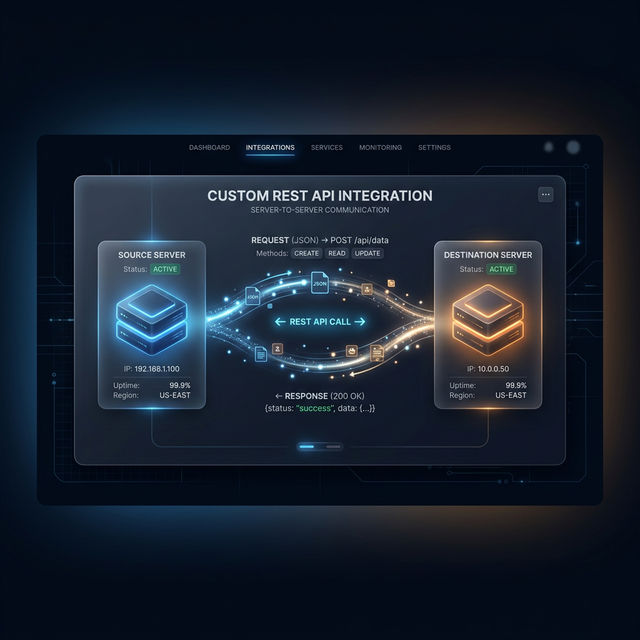
Most automation platforms advertise thousands of native integrations — but what happens when the tool your business uses isn't on the list? The answer is a custom HTTP/REST API integration using Make.com's HTTP module or n8n's HTTP Request node. This guide shows you exactly how.
What You Need to Get Started
- The API documentation for the tool you want to connect
- An API key, OAuth token, or other credential for authentication
- Make.com or n8n as your automation platform
Step 1: Understand the API Documentation
Every REST API has endpoints (URLs), methods (GET, POST, PUT, DELETE), and required parameters. Find the
documentation and identify the specific endpoint you need. For example, to create a contact in a CRM,
you might call POST /api/v1/contacts.
Step 2: Handle Authentication
Most APIs use one of these three patterns:
- API Key Header: Add
Authorization: Bearer YOUR_API_KEYto request headers - Basic Auth: Base64-encode
username:passwordand pass as Authorization header - OAuth 2.0: Exchange credentials for a bearer token, then use that token in all requests
Step 3: Parse the Response
The API returns a JSON response. In Make.com, the HTTP module automatically parses this so you can map response data into subsequent modules. If the response contains an ID for the newly created record, save it — you'll need it for updates and lookups later.
Step 4: Handle Errors Properly
APIs return error codes. The most common:
- 401: Authentication failed — check your API key
- 404: Resource not found — verify the endpoint URL
- 422: Validation error — your request body has missing/invalid fields
- 429: Rate limit exceeded — add a delay between requests
"The HTTP module in Make.com or n8n unlocks connection to literally any tool with an API — which means your automation stack is never limited by a missing native integration."
Real-World Example: Connecting Calendly to Notion
Calendly's free plan doesn't support webhooks — but it does have a REST API. Using Make.com's HTTP module, I poll the Calendly API every 15 minutes for new scheduled events and write them to a Notion database, creating a full CRM entry for every booking without paying for Calendly's premium plan.
Need custom API integration for your specific tool stack? Reach out and I'll assess what's possible.