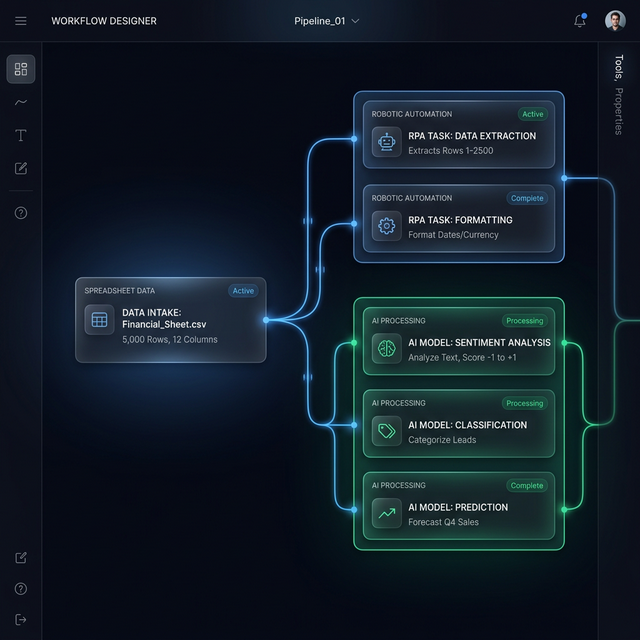
Google Sheets is one of the most underused automation platforms in any business tech stack. Most teams treat it as a passive spreadsheet — but with the right automation layer on top, it becomes a powerful data hub that updates itself, sends alerts, and syncs with other tools automatically.
Automation 1: Auto-Populate From Form Submissions
Use Make.com to watch any form tool (Typeform, Tally, or your website's contact form) and automatically add each submission as a new row in Google Sheets. Add a timestamp column and a "Source" column that records where the lead came from. No more manual copy-pasting from email notifications.
Automation 2: Weekly KPI Report via Email
Use Apps Script (Extensions → Apps Script) to read your KPI columns every Monday morning, format them into an HTML summary table, and send it to your team via Gmail. Zero manual effort, zero forgotten reports.
Automation 3: CRM Data Sync
Connect Google Sheets to HubSpot via Make.com. When a deal is updated in HubSpot, the corresponding row in your Sheet updates automatically. When a new row is added in your Sheet, a new contact is created in HubSpot. Eliminates double-entry across both systems.
Automation 4: Conditional Slack Alerts
Use Make.com to watch your Google Sheet every hour. If any value in column B exceeds a threshold (e.g., expenses over £5,000), send a Slack alert to the finance channel instantly. Works great for inventory levels, revenue targets, and SLA breach monitoring.
Automation 5: AI-Powered Data Cleaning
When new rows are added, pass the data to OpenAI via Make.com to standardise formatting, fix typos in company names, or categorise entries. The cleaned data is written back to the Sheet automatically. What used to take 2 hours of manual data cleaning now happens in seconds.
"Google Sheets + Make.com + OpenAI is one of the most cost-effective automation stacks I've found for small businesses that aren't ready for a full CRM."
Want to automated your Sheets workflows? Let's build it together.