HubSpot is one of the most capable CRM platforms on the market — but most businesses only use about 20% of what it can do. The following five workflows are the ones I implement for every client who uses HubSpot. Together, they eliminate the most time-consuming parts of the sales and marketing process.
Workflow 1: Instant Lead Assignment
The moment a new contact is created in HubSpot (from a form, ad, or import), this workflow automatically assigns them to the correct sales rep based on pre-set rules — geography, deal size, industry, or round-robin rotation. No more leads sitting unassigned in a pool for hours.
- Trigger: Contact is created
- Action: Set contact owner using If/Then branches
- Result: Every lead has a named owner within seconds
Workflow 2: Lead Nurture Email Sequence
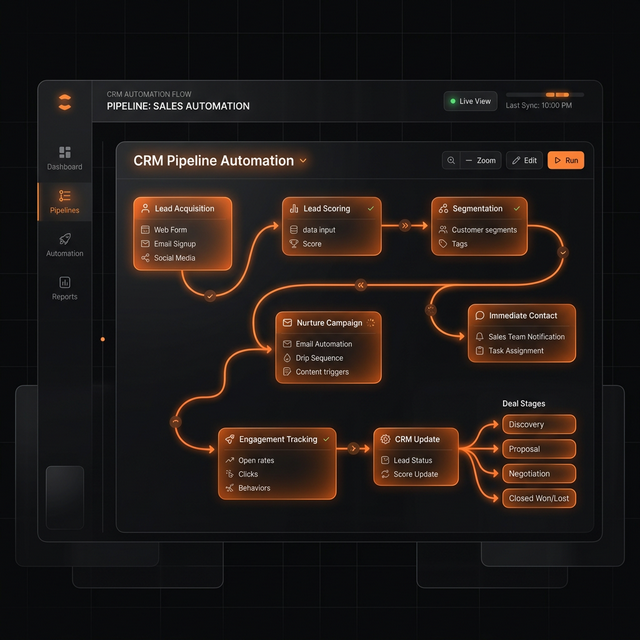
When a lead downloads a resource or fills out a contact form but doesn't book a call, they enter a 5-email nurture sequence. Emails are spaced over 2 weeks, with conditional logic that removes them from the sequence the moment they book a meeting or reply.
"The best email sequences stop the moment the person takes action. HubSpot's goal-based enrollment handles this automatically."
Workflow 3: Deal Stage Automation
Sales reps hate data entry. This workflow automatically advances deal stages and sets properties based on real actions — like when a contact opens a proposal email, books a second meeting, or Stripe registers a payment.
Workflow 4: Re-engagement Campaign
Any contact who hasn't opened an email or visited your website in 90 days gets enrolled in a short "Are you still interested?" sequence. If they don't engage, they're marked as unqualified so your sales team doesn't waste time on cold leads.
Workflow 5: Customer Onboarding Sequence
When a deal closes (or Stripe fires a payment success webhook), HubSpot automatically creates a new client record, assigns an onboarding checklist task to your team, and sends the client a personalised welcome email with next steps — all without a human touching it.
Getting These Built
These five workflows form the backbone of an automated HubSpot CRM. If you have HubSpot but aren't using it to do these things automatically, you're leaving significant time savings on the table. Get in touch and I'll audit your current HubSpot setup for free.