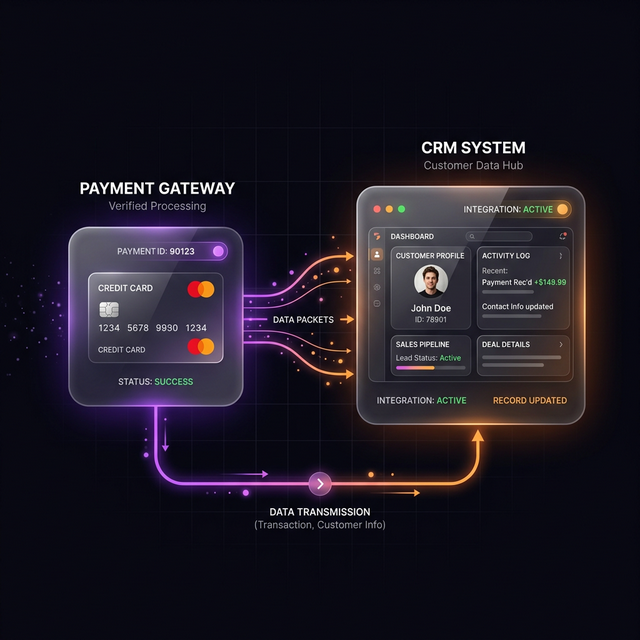
Every time a customer pays you, upgrades, or cancels — something should happen in your CRM automatically. Without this, your sales team is manually checking Stripe, updating deal stages by hand, and sending onboarding emails late. This guide solves all three problems with one Make.com scenario.
The Events You Need to Handle
Stripe fires webhooks for dozens of events. The most business-critical ones are:
payment_intent.succeeded— A one-time payment was successfulcustomer.subscription.created— A new subscription startedcustomer.subscription.updated— A plan was upgraded or downgradedcustomer.subscription.deleted— A subscription was cancelled (churn!)invoice.payment_failed— A recurring payment failed
Step 1: Create a Webhook Endpoint in Make.com
In Make.com, add a Webhook trigger module and copy the unique URL it generates. In your Stripe Dashboard → Developers → Webhooks, add this URL and select all five event types listed above.
Step 2: Route by Event Type
The Stripe payload includes type (the event name) and data.object (the relevant
Stripe object). Add a Router module in Make with a separate route for each event type:
Step 3: Update HubSpot on Each Event
- Payment succeeded: Find the HubSpot contact by email → Update Deal Stage to "Closed Won" → Create onboarding task.
- Subscription created: Update contact lifecycle stage to "Customer" → Enroll in onboarding email sequence.
- Subscription cancelled: Update lifecycle stage to "Churned" → Notify customer success team in Slack → Enroll in win-back sequence after 7 days.
- Payment failed: Add "Payment Failed" tag → Send automated dunning email → Create task for CS team to follow up.
"This single integration eliminates the #1 source of CRM dirty data — deals that are closed in Stripe but stuck as 'Proposal Sent' in HubSpot forever."
Finding the HubSpot Contact by Stripe Email
Stripe stores the customer's email in data.object.customer_email or you can look it up via a
Stripe API call using the customer ID. Use Make's HubSpot "Search Contacts" module to find the matching
contact by email before updating it.
Let Me Build This For You
This automation typically takes me 2-3 hours to build and test properly. If you'd rather have it done right the first time with full error handling, reach out here.